
How to use
Customer
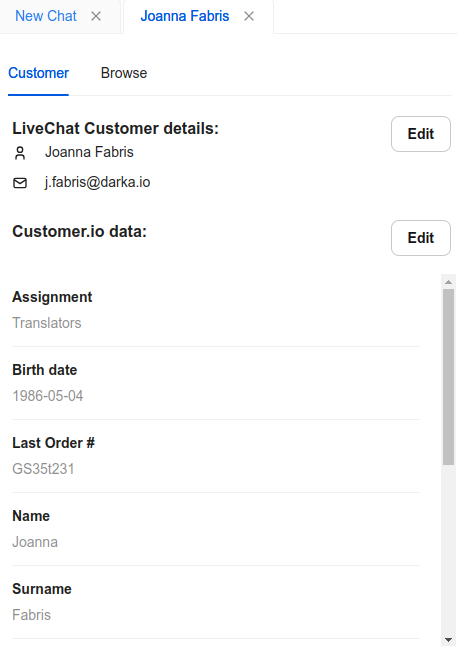
Once the integration is authorized, you can find the Customer.io for LiveChat integration app widget among other integration tabs in the Chats/Archives section of the LiveChat Agent App.
Once you choose a chat from the list, the integration automatically loads the name and email from the chat and tries to find the corresponding profile in Customer.io based on the email. You can click Edit to change the LiveChat customer name and email.
If the customer is found in the Customer.io, their saved attributes will be listed in the widget. You can click Edit to update their values.
Browse
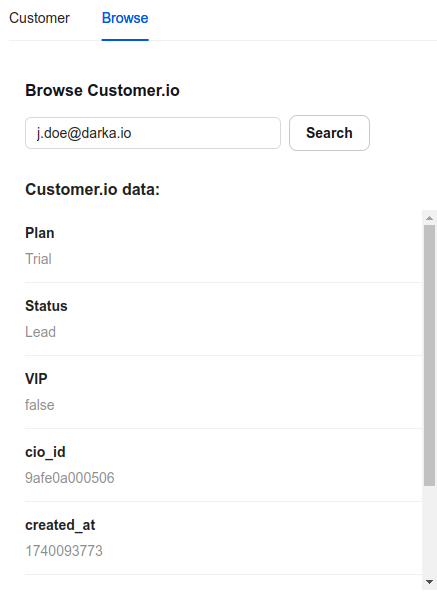
The Browse tab allows you to search for customer profiles by email. You can enter the email address and click Search to start the search.
We would love to hear out your feature requests!
Contact us at support@darka.io.