
Chats - automatic AI translation
Enabling translation during a chat
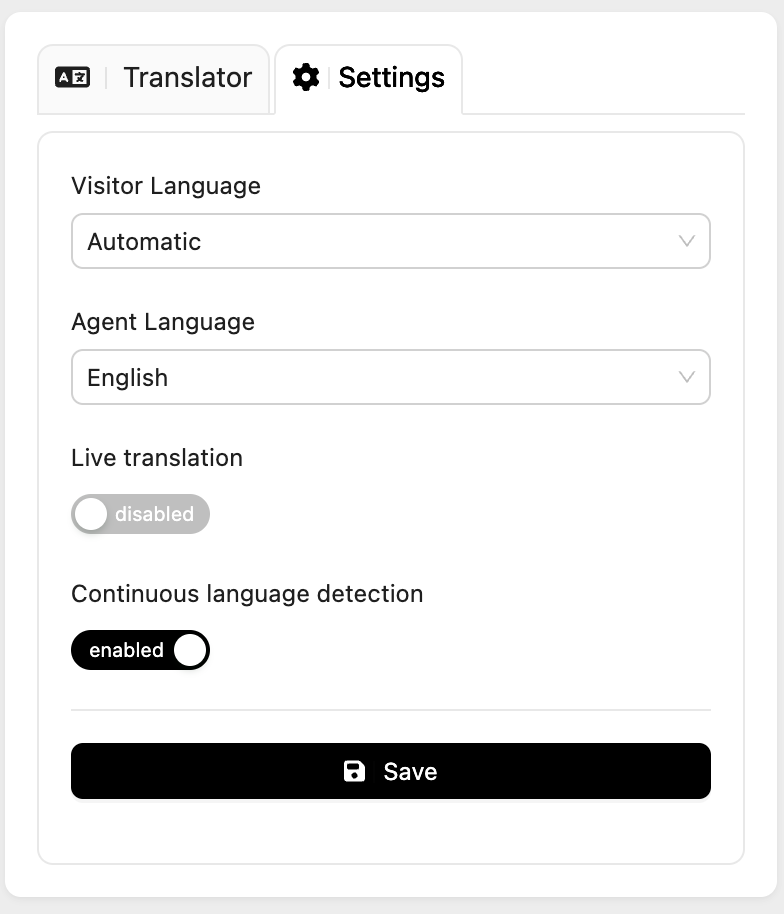
Once the installation is completed you will be able to see a new chat details widget in the LiveChat chats. It has 3 sections: Translation, Audit and Settings. The Settings one allows you to enable or disable the translation of the current active chat by toggling the switch.
If needed, Visitor Language can be chosen from the list of languages or you can set Continuous language detection to make the integration recognize the language your customer uses. In the same way, the language of your agent can be chosen from the dropdown under Agent Language. The feature makes it possible to have multilinguistic customer service team providing the required support without any language barriers.
The system will remember the language that was detected for certain visitor and it will be ready to translate once they return!
Codeblock and skipping translation
If you want to skip the translation for a specific message, you can use the codeblock. Just wrap the message or its part in the markdown codeblock and the AI will not translate it. The codeblock is a feature that allows you to format the text in a special way. To use it, you need to put three backticks (```) at the beginning and at the end of the message. The codeblock can be used by both the agent and the visitor.
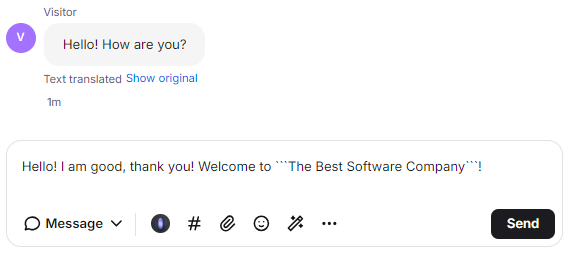
In our example the Customer starts a chat in German. Our Agent speaks English The automated translation is set to translate all the messages to English. The Customer sends "Halo! Wie gehts?" and the Agent receives "Hello! How are you?".
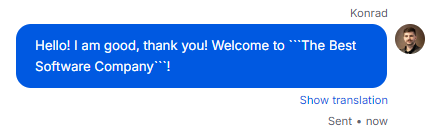
The Agent would like to respond with the message using the company name. As the company name includes English words, the Agent wraps the message in the codeblock to prevent the translation. The Customer receives the message in German with the company name unchanged.
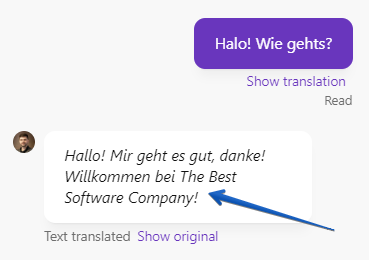
In the Chat Widget on the website, the Customer sees the message in German with the company name unchanged.