
Introduction

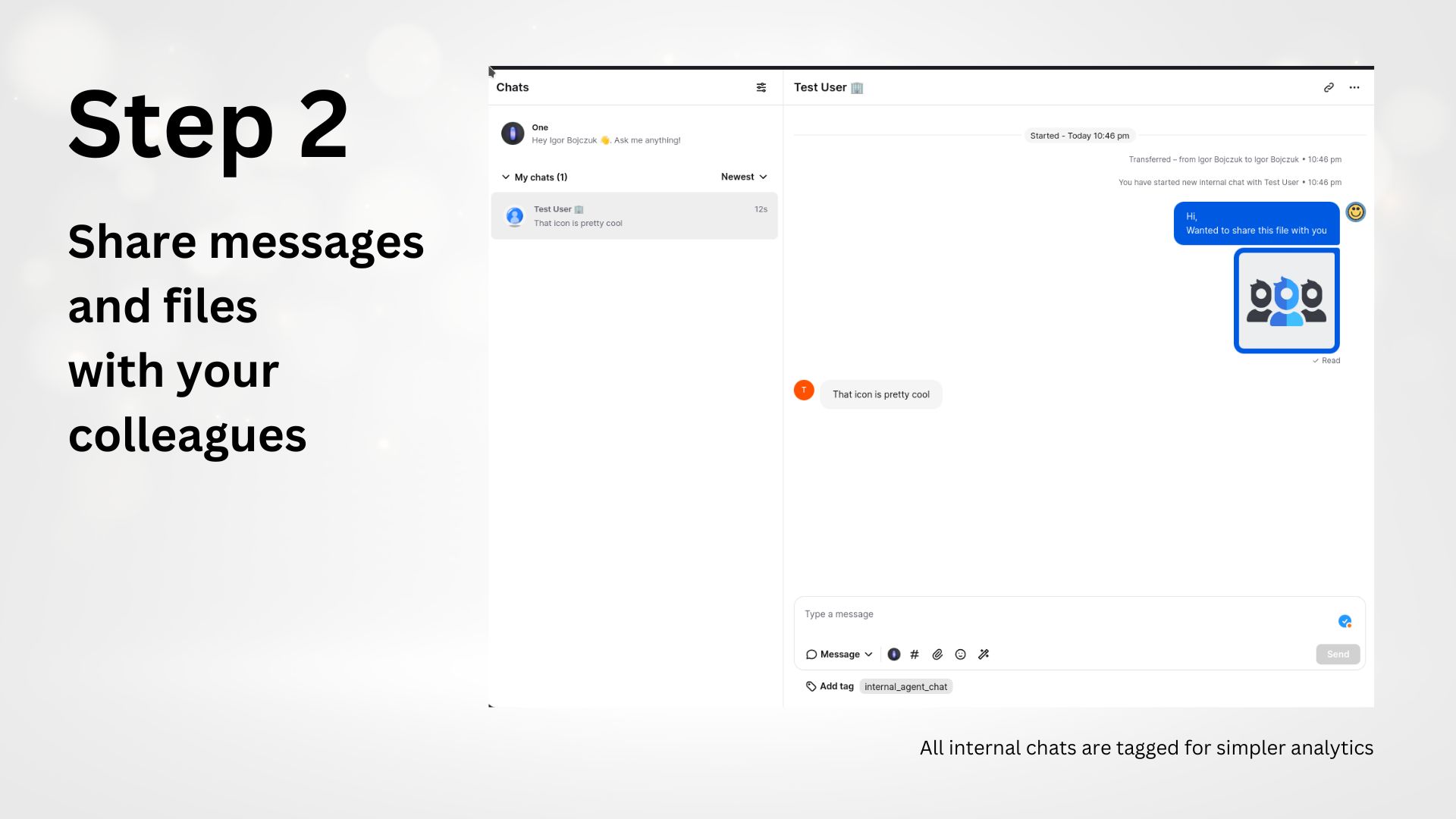
Send messages and files between LiveChat agents. No configuration needed.
All internal chats will be tagged with internal_agent_chat tag to help with reporting.
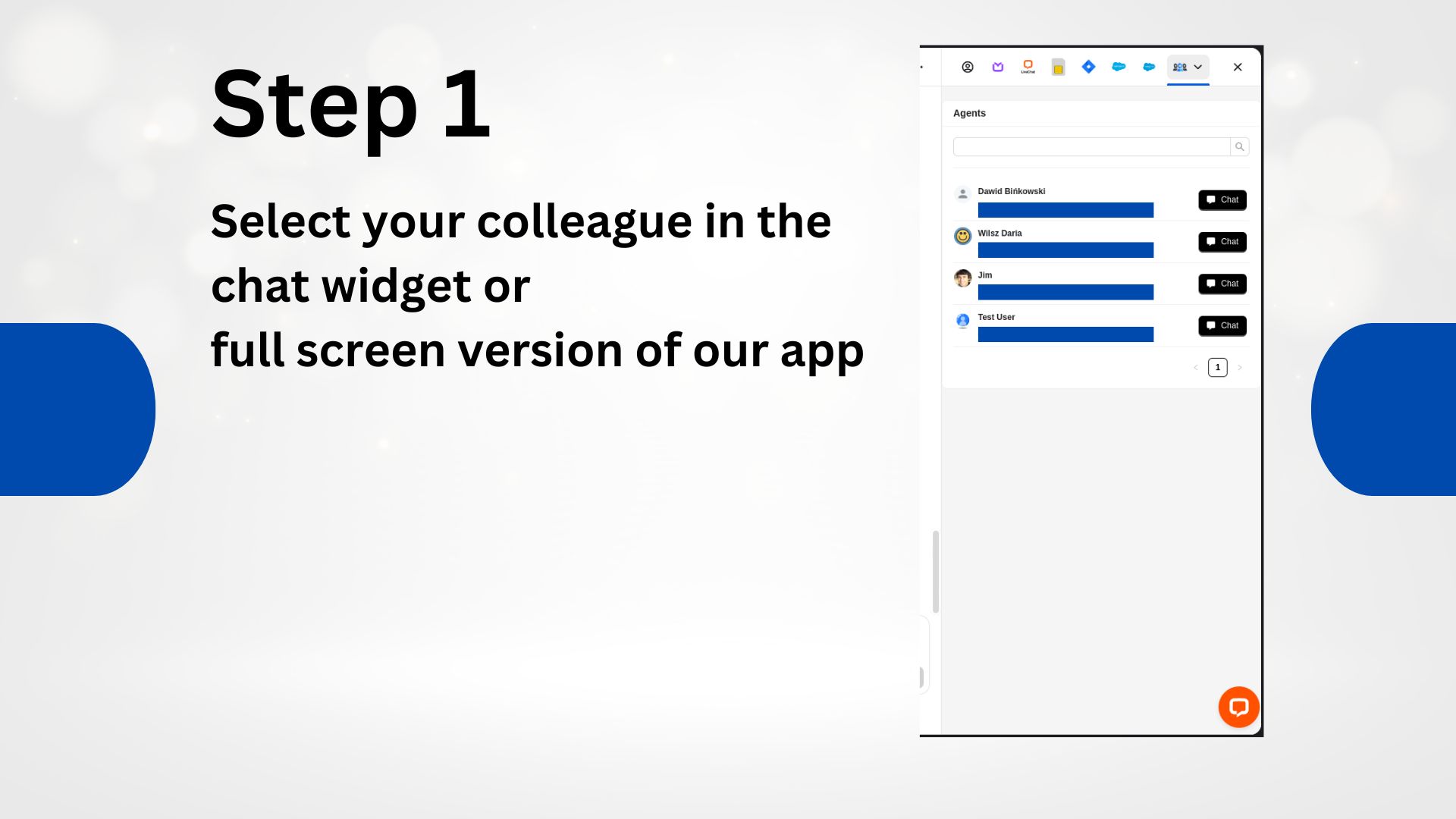
To start a new chat with any of your agents, simply select one of them from the list (Chat Widget or Full Screen App) and click Chat - the chat will be available in your Active Chats page.
Installation and Configuration
Install the application from the LiveChat Marketplace, make sure you authorize the application. If no authorization screen is shown and the application is not functioning properly, please navigate to the Apps section in your LiveChat Agent App, then click Manage Apps, locate the Agent Chat application and click Finish Installation. No other configuration is necessary to use the extension.
FAQs
How are the internal chats created?
Chats are handled through LiveChat Messaging, therefore for each agent pair, a pair of virtual website visitors is created. These chats are started, resumed and deactivated automatically by our extension. The virtual website visitors are automatically transferred to the specified agents.
Will this extension affect my agents' chat limits?
Yes, internal chats are counted towards the concurrent chat limits, however we are working on mitigating that by automatically increasing and lowering that limit, so definitely stay tuned for that feature.
How will this extension affect reporting?
All internal chats are automatically tagged with internal_agent_chat tag, therefore these chats can easily be excluded from your analytics and archives.
Are group chat's supported
Unfortunately, group chats are not supported yet.
We would love to hear out your feature requests!
Contact us at support@darka.io.